
Seedream 4
Unified text-to-image generation and precise single-sentence editing at up to 4K resolution
No workflow setup required · Fully customizable in AI-Flow
What This App Does
A state-of-the-art model by ByteDance. Seedream 4 excels in generating high-quality images from text prompts and allows for detailed image editing based on concise instructions. Whether you're looking to create stunning visuals or modify existing images with precision, Seedream 4 offers unparalleled capabilities in image synthesis and editing.
How to Use the App
Here’s what you get when you open the app: a short form, one run button, your results — no nodes, no setup.
Seedream 4
App previewFill in the form
Prompt
RequiredType your prompt…
Aspect Ratio
Match Input Image
Image Input
Add images or files
Max Images
Sequential Image Generation
disabled
+1 more option in the app
Get your result
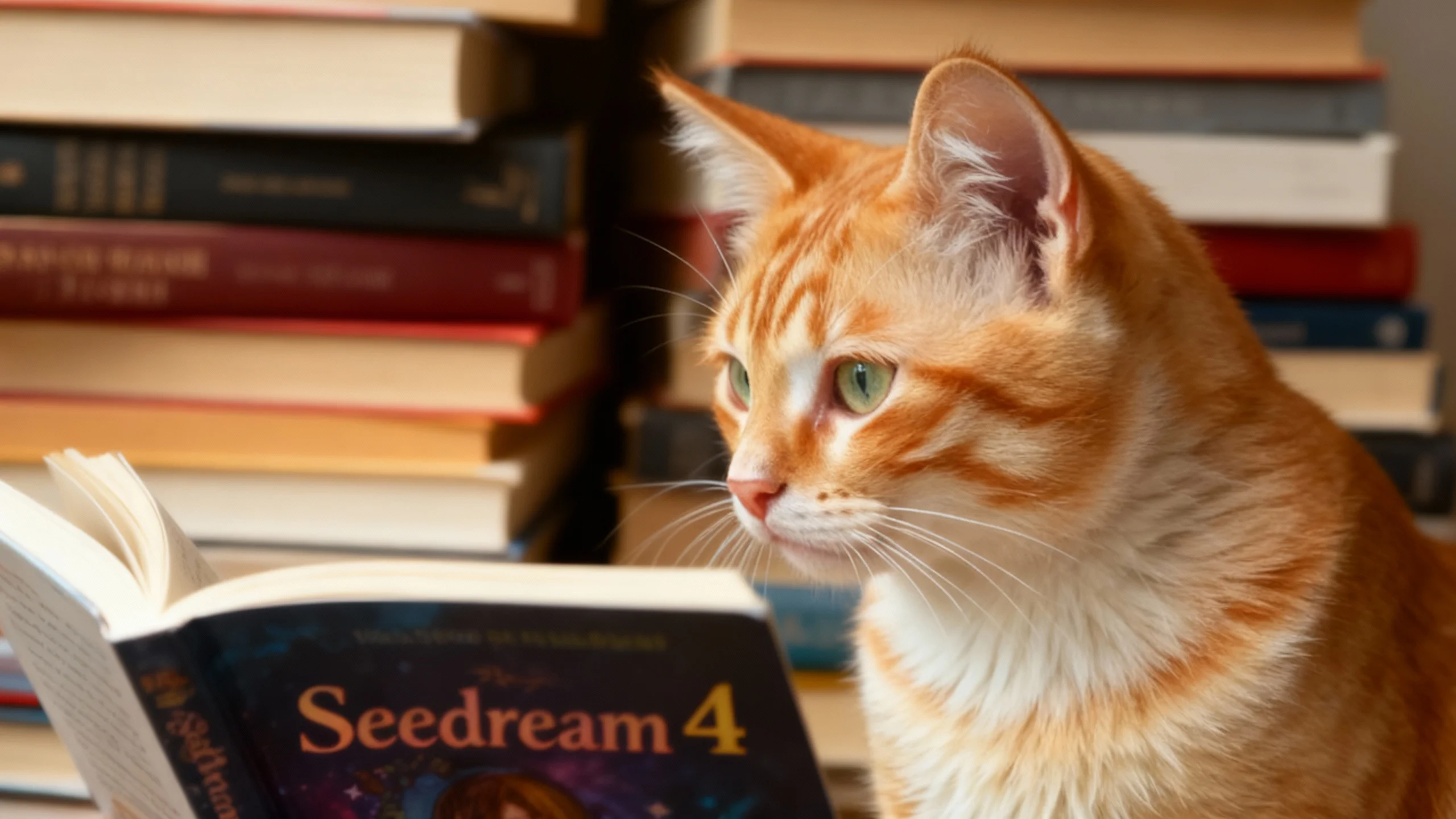
Real output generated with this app
Under the Hood
Want more control?
This app is powered by a fully editable AI-Flow workflow. Change the model, prompts, layout, resolution — or connect it to other steps.
Text
The cat sits in front of a pile of books, looking toward one titled Seedream 4.
List
Seedream 4
How to Use This Template
Step 1: Enter your text in 'Text' Node
In the 'Text' node, enter your instructions.
The cat sits in front of a pile of books, looking toward one titled Seedream 4.
Step 2: Upload your files
In the 'List' node, upload the files you want to use in the workflow.
Step 3: Run the Flow
Click the 'Run' button to execute the flow and get the final output.
Customize the underlying workflow
Open the full workflow in the AI-Flow editor to swap models, rewrite prompts, or connect it to other steps.
Ready to create?
Start using this app
No workflow setup required — open the app and start creating in minutes
You Might Also Like
Explore other powerful templates to enhance your AI workflow
Nano Banana 2.1
Generate and edit high-quality images with Google Nano Banana 2.1, the latest high-efficiency Gemini image model with stronger prompt adherence, typography, visual quality, and multi-turn consistency.

GPT Image 2.5 Flare
Generate high-fidelity images with GPT Image 2.5 Flare, optimized for real typography, multilingual scripts, structured layouts, and print-ready formats up to 4K—ideal for editorial posters, comics, marketing assets, UI comps, and social graphics.

GPT Image 2.5 Sunburst
Generate high-fidelity images with GPT Image 2.5 Sunburst, optimized for real typography, multilingual scripts, structured layouts, and print-ready formats up to 4K—ideal for editorial posters, comics, marketing assets, UI comps, and social graphics.

AI Skincare Product Photo Generator
Turn one cream, serum, or cosmetic jar image into a full skincare photoshoot: a 2x2 grid plus four cropped shots (wide, medium, close-up, creative), on-model or product-only, for beauty ecommerce, marketplaces, and ads.

AI Sunscreen Product Photo Generator
Turn one sunscreen tube or bottle image into a full suncare photoshoot: a 2x2 grid plus four cropped shots (wide, medium, close-up, creative), on-model or product-only, for beauty ecommerce, marketplaces, and ads.

AI T-Shirt Mockup Generator
Turn one t-shirt design image into on-model print-on-demand mockups: a 2x2 photoshoot grid plus four cropped shots (wide, medium, close-up on the print, creative), for Etsy, Shopify, and POD storefronts.
Frequently Asked Questions
What is AI-FLOW and how can it help me?
AI-FLOW is an all-in-one AI platform that allows you to build, integrate, and automate AI-powered workflows using an intuitive drag-and-drop interface. Whether you're a beginner or an expert, you can leverage multiple AI models to create innovative solutions without any coding required.
Is there a free trial available?
Yes, AI-FLOW offers a free trial to get you started. After that, you can purchase credits as needed—no subscription or long-term commitment required.
Can I integrate my API keys from providers like OpenAI and Replicate with AI-FLOW Cloud Version ?
Yes, you can easily integrate your existing API keys with AI-FLOW. If specified, nodes related to the API key provided will use your API key, significantly reducing your platform credit usage.