Flux 2 Max
Maximum‑fidelity image generation and editing with FLUX.2 [max] by Black Forest Labs. Superior prompt adherence, multi‑reference consistency, and fast performance for professional visuals.
No workflow setup required · Fully customizable in AI-Flow
What This App Does
FLUX.2 [max] is the top‑tier image model from Black Forest Labs, engineered for the highest image quality, exceptional prompt following, and state‑of‑the‑art consistency across characters, products, styles, and backgrounds. It’s built for demanding creative and production workflows where accuracy, polish, and speed matter.
What it does best
Delivers premium, photorealistic or stylized images from text or from reference images
Preserves identity and fine details across batches and complex edits
Follows short and long prompts with best‑in‑class accuracy
Generates diverse yet on‑brief results for exploration and ideation
Runs nearly as fast as FLUX.2 [pro], up to 3× faster than comparable models
Inputs and controls
prompt (required) — Natural‑language description of the image you want
input_images (optional, up to 8 via API) — Use single or multiple references for image‑to‑image generation and multi‑reference consistency
aspect_ratio — Choose presets like 1:1, 16:9, 4:5, etc., or use match_input_image; select custom to specify width and height
resolution — 0.5–4 MP (2 MP or below recommended). Max dimension is 2048×2048; very high resolutions may be clipped when not 1:1
width and height (custom only) — Must be multiples of 32
safety_tolerance — 1 = most strict, 5 = most permissive
seed — Set for reproducible outputs
output_format — webp, jpg, or png
output_quality — 0–100 (quality setting for non‑PNG formats)
Output - Direct image URL (uri) to your generated asset
Ideal use cases
E‑commerce and product marketing — launch‑ready product shots, precise color variants (including hex‑code control), consistent asset sets
Film, TV, and animation — cinematic key frames with preserved characters and emotions for high‑end pre‑viz
Creative design — brand‑faithful backgrounds, styles, and compositions for campaigns and content
Food, interiors, and lifestyle — realistic polish, editorial quality, and consistent lighting/color
3D and environment ideation — new views from limited references for scenes and virtual tours
When to use FLUX.2 [max] vs pro/flex
Choose FLUX.2 [max] for maximum quality, prompt adherence, and multi‑reference consistency
Choose FLUX.2 [pro] for top performance at scale and budget efficiency
Choose FLUX.2 [flex] when your task is text‑heavy or demands perfect small‑detail preservation and typography
Best‑practice tips
Be explicit with key subjects, camera angle, lighting, and mood
Provide up to 8 reference images for stronger identity or product consistency
Start with 1 MP or 2 MP for speed and quality balance; increase only if needed
Use seed to reproduce results and iterate predictably
Use match_input_image for image‑to‑image aspect ratio alignment
How to Use the App
Here’s what you get when you open the app: a short form, one run button, your results — no nodes, no setup.
Flux 2 Max
App previewFill in the form
Prompt
RequiredType your prompt…
Aspect Ratio
1:1
Input Images
Add images or files
Resolution
1 MP
Seed
0
≈ 10 credits / run
Get your result
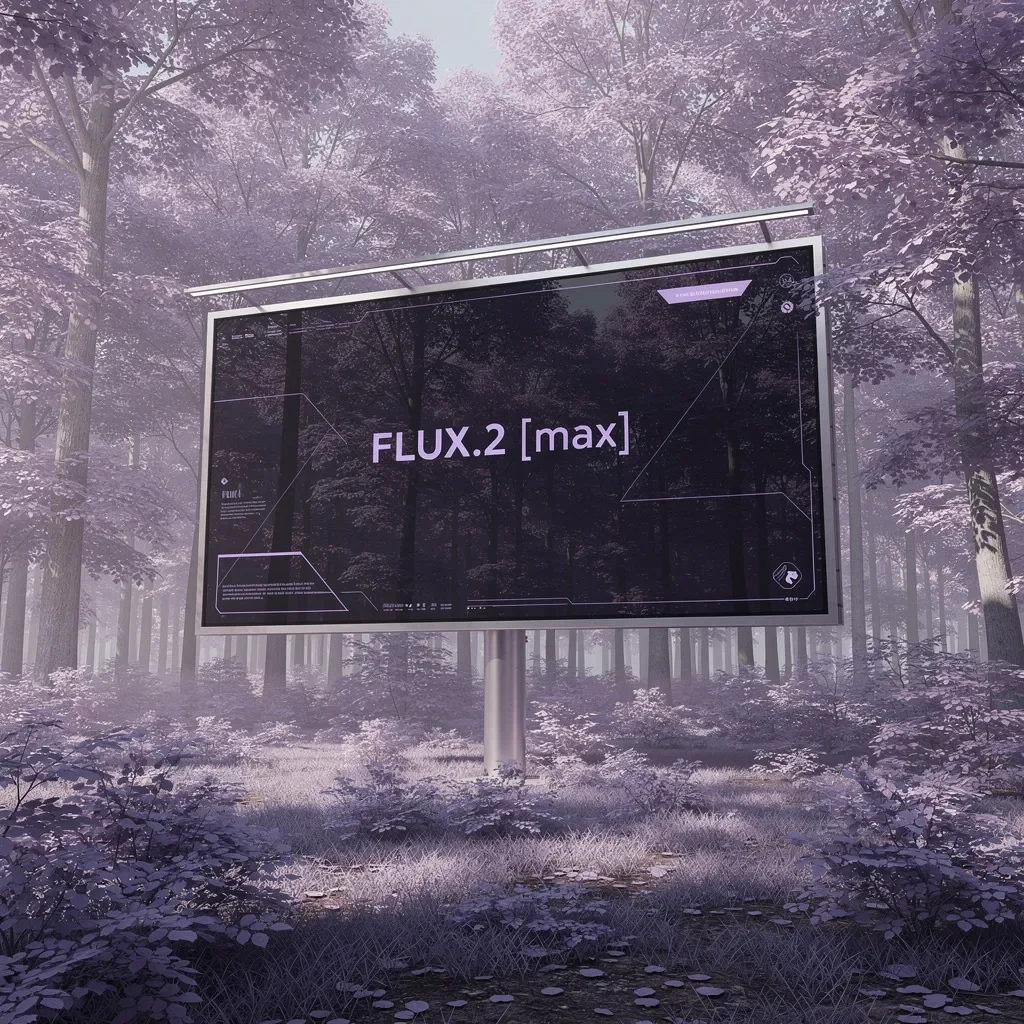
Real output generated with this app
Under the Hood
Want more control?
This app is powered by a fully editable AI-Flow workflow. Change the model, prompts, layout, resolution — or connect it to other steps.
Prompt
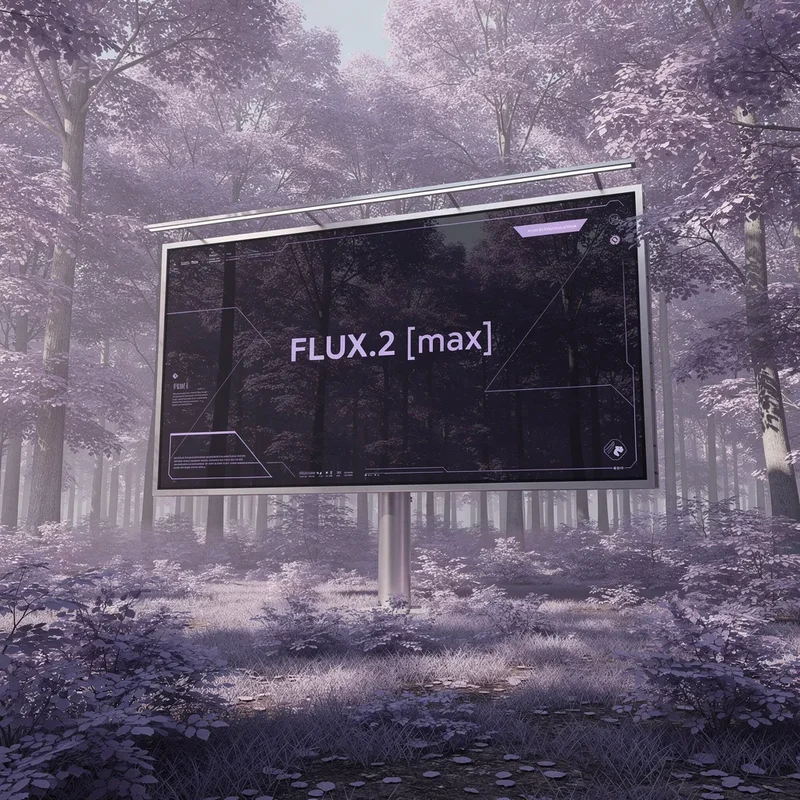
A photorealistic wide shot of a large minimalist digital billboard standing in the middle of a forest filled with purple and lavender-hued trees. Soft violet foliage surrounds the scene, creating a surreal yet elegant atmosphere. The billboard has a sleek m...
Image References
Optional references or files.
Flux 2 Max
How to Use This Template
Step 1: Enter your text in 'Prompt' Node
Fill the 'Prompt' node with the required text.
A photorealistic wide shot of a large minimalist digital billboard standing in the middle of a forest filled with purple and lavender-hued trees. Soft violet foliage surrounds the scene, creating a surreal yet elegant atmosphere. The billboard has a sleek metal frame with subtle overhead lights, blending advanced technology with dreamlike nature. On the screen, a dark glass display shows a clean, futuristic UI with gentle lavender and magenta accents. The billboard is transparent, showing the trees behind it. Centered text reads: “FLUX.2 [max]” in a modern sans-serif font, calm, confident, and precise. Soft daylight with a purple color cast, cinematic composition, ultra-high resolution, premium AI launch aesthetic, minimalism, tranquil mood.
Step 2: Upload your files
In the 'Image References' node, upload the files you want to use in the workflow.
Step 3: Run the Flow
Click the 'Run' button to execute the flow and get the final output.
Customize the underlying workflow
Open the full workflow in the AI-Flow editor to swap models, rewrite prompts, or connect it to other steps.
Who is this for?
Perfect for professionals and creators looking to streamline their workflow
E‑commerce and product marketing teams
Create premium product shots, color variants, and consistent ad sets faster than traditional photo workflows.
Film, animation, and pre‑viz studios
Generate cinematic key frames that preserve character identity, style, and emotion for high‑end story development.
Designers and creative directors
Rapidly explore on‑brand styles, backgrounds, and compositions with high fidelity and prompt precision.
Content creators and agencies
Produce campaign‑ready visuals with superior prompt following, multi‑reference editing, and quick iteration.
Ready to create?
Start using this app
No workflow setup required — open the app and start creating in minutes
You Might Also Like
Explore other powerful templates to enhance your AI workflow

GPT Image 2.5 Flare
Generate high-fidelity images with GPT Image 2.5 Flare, optimized for real typography, multilingual scripts, structured layouts, and print-ready formats up to 4K—ideal for editorial posters, comics, marketing assets, UI comps, and social graphics.

GPT Image 2.5 Sunburst
Generate high-fidelity images with GPT Image 2.5 Sunburst, optimized for real typography, multilingual scripts, structured layouts, and print-ready formats up to 4K—ideal for editorial posters, comics, marketing assets, UI comps, and social graphics.

AI Skincare Product Photo Generator
Turn one cream, serum, or cosmetic jar image into a full skincare photoshoot: a 2x2 grid plus four cropped shots (wide, medium, close-up, creative), on-model or product-only, for beauty ecommerce, marketplaces, and ads.

AI Sunscreen Product Photo Generator
Turn one sunscreen tube or bottle image into a full suncare photoshoot: a 2x2 grid plus four cropped shots (wide, medium, close-up, creative), on-model or product-only, for beauty ecommerce, marketplaces, and ads.

AI T-Shirt Mockup Generator
Turn one t-shirt design image into on-model print-on-demand mockups: a 2x2 photoshoot grid plus four cropped shots (wide, medium, close-up on the print, creative), for Etsy, Shopify, and POD storefronts.
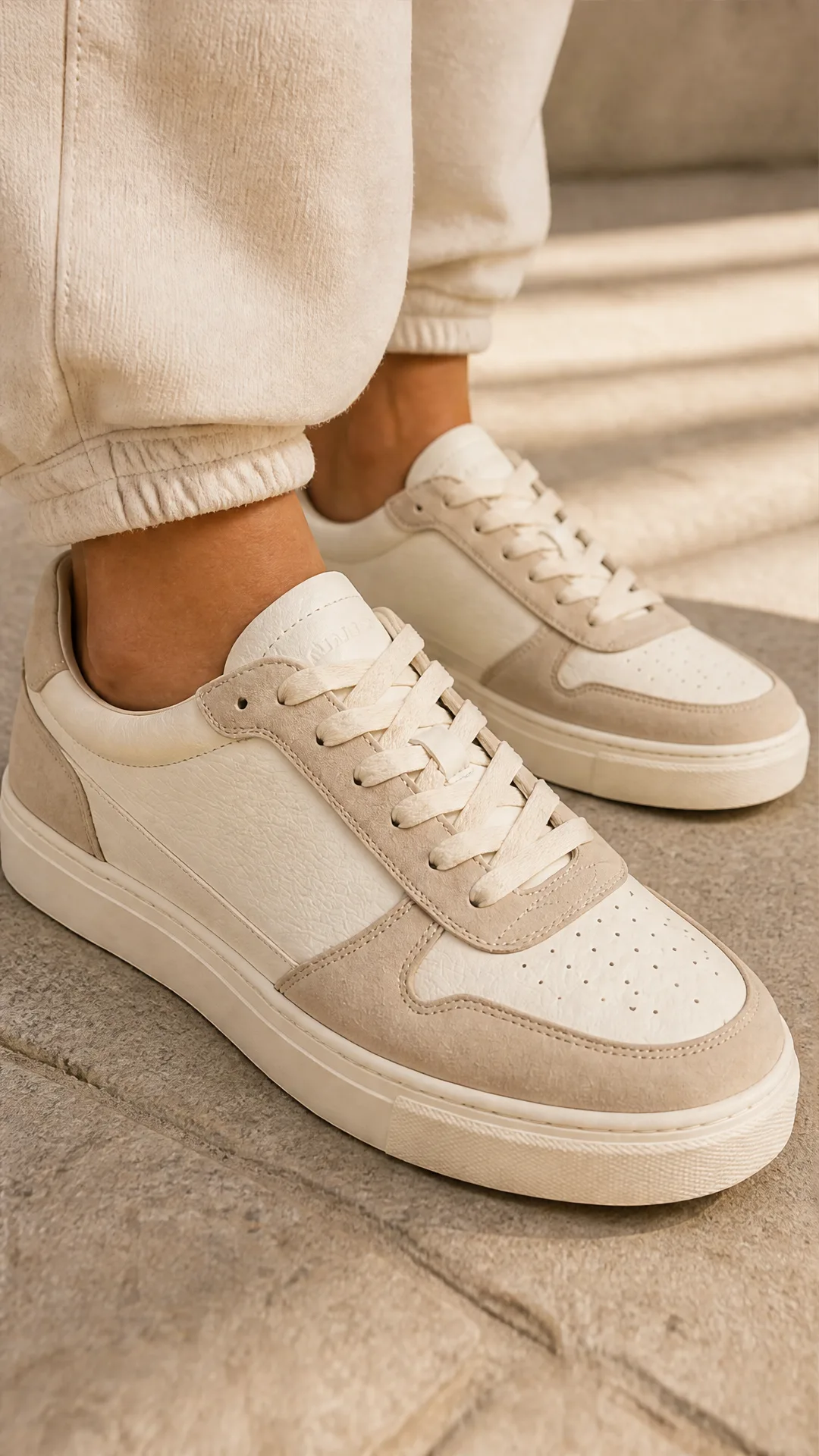
AI Sneaker Product Photo Generator
Generate sneaker product photos from a single shoe image: a 2x2 photoshoot grid plus four cropped shots (wide, medium, close-up, creative), in on-foot or product-only mode, for ecommerce listings, marketplaces, and ads.
Frequently Asked Questions
What makes FLUX.2 [max] different from FLUX.2 [pro] and FLUX.2 [flex]?
FLUX.2 [max] offers maximum performance: the highest editing consistency, strongest prompt adherence, and broad style fidelity. Use FLUX.2 [pro] for top performance at a lower cost at scale. Use FLUX.2 [flex] when typography and fine text overlays are critical.
Does it support image‑to‑image and multi‑reference editing?
Yes. Provide up to 8 reference images via the API to maintain identities, products, and styles across outputs. In the Playground, up to 10 references are supported.
How should I choose aspect ratio, width, height, and resolution?
Pick a preset aspect_ratio (e.g., 1:1, 16:9) or use match_input_image. For custom sizing, set width and height (multiples of 32). Resolution controls total megapixels (0.5–4 MP); 1–2 MP is recommended for speed and quality. The maximum dimension is 2048×2048.
What output formats are available?
You can export as webp, jpg, or png. The output_quality setting (0–100) applies to webp and jpg; PNG ignores quality settings.
How do I ensure consistent characters or products across a batch?
Use multiple reference images of the same subject, keep your prompt details consistent, and set a seed for reproducibility when iterating.
Is FLUX.2 [max] good for generating text within images?
It can render text, but if your use case is heavily text‑driven (e.g., precise typography or overlays), FLUX.2 [flex] is optimized for those scenarios.
How does the safety_tolerance setting work?
safety_tolerance controls filtering strictness. 1 is the most strict and 5 is the most permissive. Choose a value based on your content and compliance requirements.
What are recommended prompt best practices?
Be explicit about subject, style, camera angle, lighting, materials, and mood. Include constraints like brand colors or hex codes. For edits, upload clear reference images and describe the intended changes precisely.
How fast is FLUX.2 [max]?
Despite its higher quality and consistency, FLUX.2 [max] runs nearly as fast as FLUX.2 [pro] and can be up to 3× faster than competing models of similar quality.
What’s the maximum number of input images?
Up to 8 images via the API for image‑to‑image or multi‑reference workflows. Use high‑quality, relevant references for the best fidelity.
What is AI-FLOW and how can it help me?
AI-FLOW is an all-in-one AI platform that allows you to build, integrate, and automate AI-powered workflows using an intuitive drag-and-drop interface. Whether you're a beginner or an expert, you can leverage multiple AI models to create innovative solutions without any coding required.
Is there a free trial available?
Yes, AI-FLOW offers a free trial to get you started. After that, you can purchase credits as needed—no subscription or long-term commitment required.
Can I integrate my API keys from providers like OpenAI and Replicate with AI-FLOW Cloud Version ?
Yes, you can easily integrate your existing API keys with AI-FLOW. If specified, nodes related to the API key provided will use your API key, significantly reducing your platform credit usage.