
Flux 2 Klein 4b
Ultra-fast, 4-step distilled image generation and editing from Black Forest Labs. Sub-second inference, photoreal results up to 4MP, readable text, production-ready.
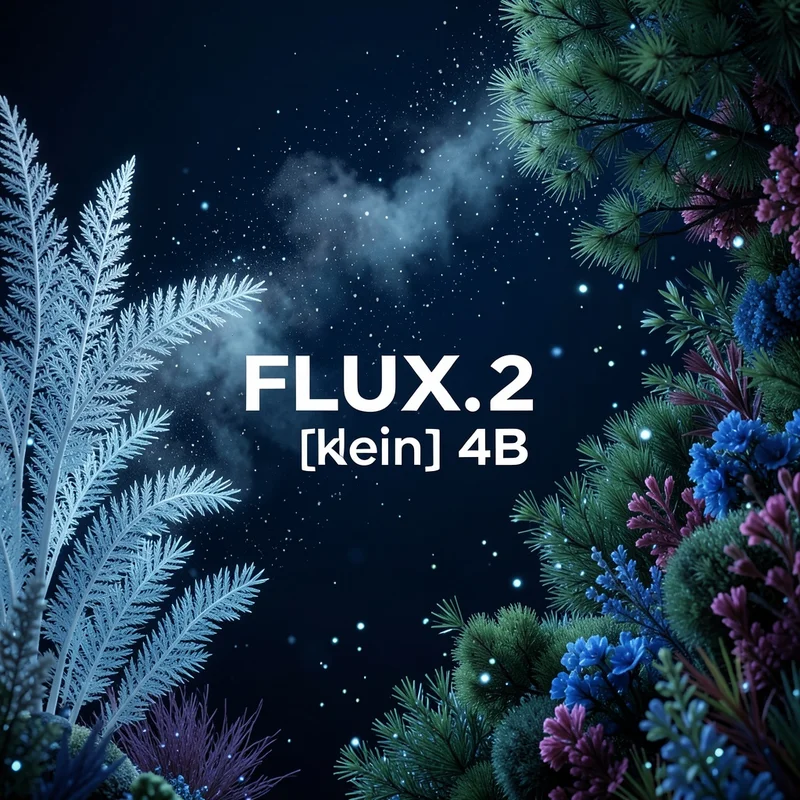
No workflow setup required · Fully customizable in AI-Flow
What This App Does
Flux 2 Klein 4b (FLUX.2 klein 4B) is a compact, open-source image generation and editing model from Black Forest Labs designed for near real-time and production use. Distilled from the larger FLUX 2 family, it delivers high visual fidelity, accurate lighting, coherent spatial relationships, and remarkably readable text—while remaining efficient enough to run on modest hardware.
Key capabilities
Speed for production — 4-step distilled generation with sub-second inference on capable hardware
Photoreal quality up to 4 megapixels with strong lighting and perspective consistency
Clean text rendering for UI mockups, posters, and infographics
Image-to-image editing with up to 5 input references for style/character/product consistency
Open-source (Apache 2.0) for commercial and custom use
How it works
Latent flow matching with a rectified flow transformer for efficient, stable generation
Vision-language guidance (based on Mistral 3) for semantic understanding and composition
Specialized VAE for crisp details and reliable high-resolution outputs
Inputs you can control
prompt (required) — Natural language description of the desired image
images (optional) — Up to 5 images for image-to-image edits or multi-reference consistency (jpeg, png, gif, webp)
aspect_ratio (optional) — Common ratios or match_input_image to follow the first image
output_megapixels (optional) — 0.25, 0.5, 1, 2, 4 megapixels
seed (optional) — Set for reproducible results
go_fast (optional) — Extra runtime optimizations for even faster inference
output_format (optional) — jpg, png, or webp
output_quality (optional) — 0–100 (for lossy formats)
disable_safety_checker (optional) — Toggle model-side safety checks
Output: - An array of URLs (URIs) pointing to the generated image(s)
Best practices
Be specific — describe lighting, materials, lens, mood, and composition
For brand work — include exact hex colors and layout instructions
For consistency — provide multiple references in images and refer to them in the prompt
For reproducibility — set a seed and keep parameters fixed across runs
Ideal use cases
Marketing visuals, product shots, and rapid creative iterations
UI/UX mockups, slides, posters, and social assets with readable typography
Storyboards and campaigns needing consistent characters or styles
Fast image-to-image edits for prototyping and production pipelines
How to Use the App
Here’s what you get when you open the app: a short form, one run button, your results — no nodes, no setup.
Flux 2 Klein 4b
App previewFill in the form
Prompt
RequiredType your prompt…
Aspect Ratio
1:1
Images
Add images or files
Output Format
jpg
Output Megapixels
1
+2 more options in the app
≈ 0.5 credits / run
Get your result
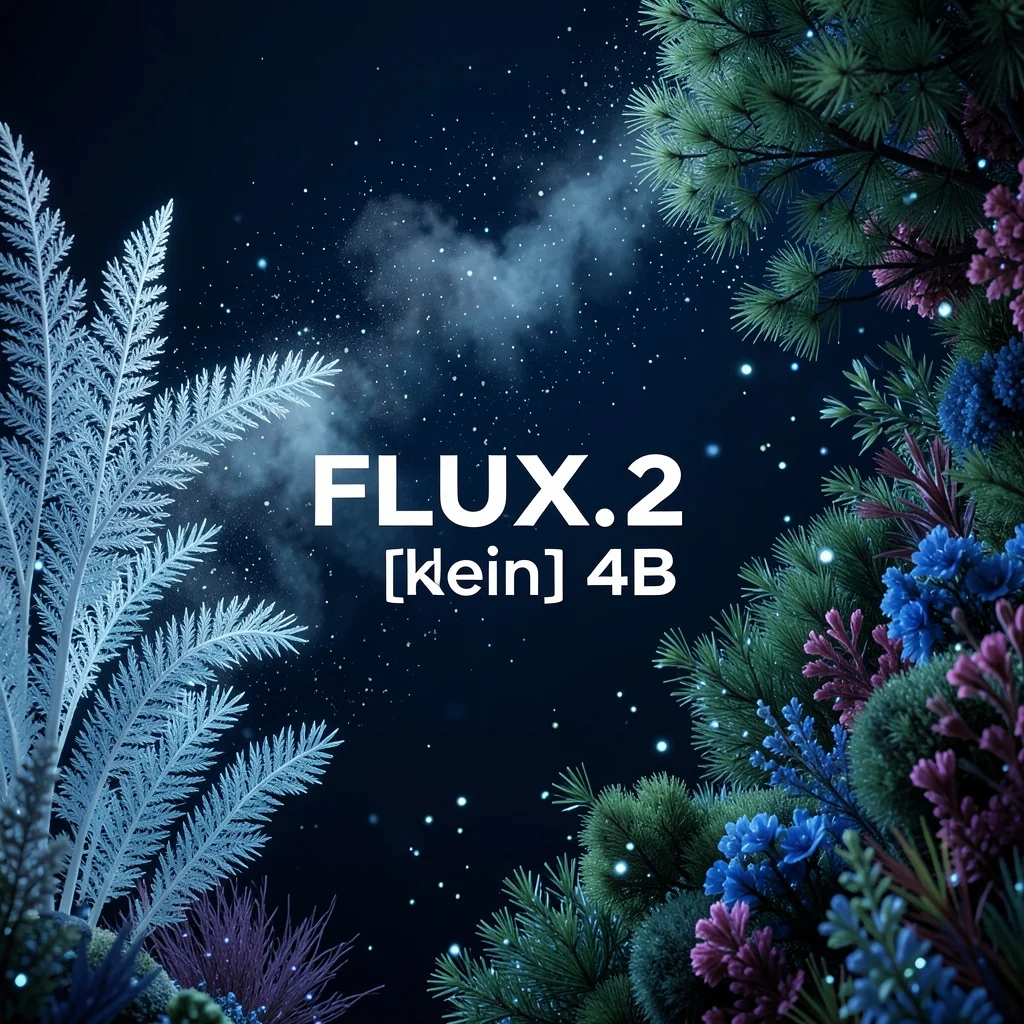
Real output generated with this app
Under the Hood
Want more control?
This app is powered by a fully editable AI-Flow workflow. Change the model, prompts, layout, resolution — or connect it to other steps.
Text
A surreal underwater or cosmic garden scene with bioluminescent flora against a deep navy blue to black background. Delicate, feather-like structures in pale icy blue and white emerge from the left side, resembling ethereal ferns or coral fronds with intric...
List
Optional references or files.
Flux 2 Klein 4b
How to Use This Template
Step 1: Enter your text in 'Text' Node
In the 'Text' node, enter your instructions.
A surreal underwater or cosmic garden scene with bioluminescent flora against a deep navy blue to black background. Delicate, feather-like structures in pale icy blue and white emerge from the left side, resembling ethereal ferns or coral fronds with intricate fractal patterns. These luminous fronds transition into a cloud-like dispersal of particles and spores floating through the dark space, creating a dreamy, ethereal atmosphere. On the right side, dense clusters of vegetation in deep greens, blues, and purple-pink tones form an organic canopy. The foliage includes pine-like needles, flowering bushes in blue and magenta hues, and various plant forms creating depth and texture. Small glowing particles and orbs of light are scattered throughout the scene like floating pollen or bioluminescent plankton. The overall composition creates a mystical, otherworldly environment that blends elements of deep sea bioluminescence with alien botanical landscapes. Cinematic lighting with cool color palette dominated by blues, teals, and deep greens. Photorealistic rendering with soft focus effects and atmospheric depth. With large white text in the center: "FLUX.2 [klein] 4B"
Step 2: Upload your files
In the 'List' node, upload the files you want to use in the workflow.
Step 3: Run the Flow
Click the 'Run' button to execute the flow and get the final output.
Customize the underlying workflow
Open the full workflow in the AI-Flow editor to swap models, rewrite prompts, or connect it to other steps.
Who is this for?
Perfect for professionals and creators looking to streamline their workflow
Product and marketing teams
Generate on-brand visuals, product renders, and campaign assets quickly with consistent colors and typography.
Designers and creative studios
Iterate on concepts, perform image-to-image edits, and produce photoreal artwork with reliable lighting and composition.
App developers and startups
Embed sub-second image generation in user flows and realtime experiences without requiring large-scale infrastructure.
UI/UX designers
Produce interface mockups and marketing screens with crisp, readable text and coherent layout.
Content creators and social teams
Create thumbnails, posters, and social posts fast, with high quality at 0.25–4 MP depending on need.
Researchers and tinkerers
Leverage an Apache 2.0 model for experimentation, fine-tuning, and custom pipelines.
Ready to create?
Start using this app
No workflow setup required — open the app and start creating in minutes
You Might Also Like
Explore other powerful templates to enhance your AI workflow

GPT Image 2.5 Flare
Generate high-fidelity images with GPT Image 2.5 Flare, optimized for real typography, multilingual scripts, structured layouts, and print-ready formats up to 4K—ideal for editorial posters, comics, marketing assets, UI comps, and social graphics.

GPT Image 2.5 Sunburst
Generate high-fidelity images with GPT Image 2.5 Sunburst, optimized for real typography, multilingual scripts, structured layouts, and print-ready formats up to 4K—ideal for editorial posters, comics, marketing assets, UI comps, and social graphics.

AI Skincare Product Photo Generator
Turn one cream, serum, or cosmetic jar image into a full skincare photoshoot: a 2x2 grid plus four cropped shots (wide, medium, close-up, creative), on-model or product-only, for beauty ecommerce, marketplaces, and ads.

AI Sunscreen Product Photo Generator
Turn one sunscreen tube or bottle image into a full suncare photoshoot: a 2x2 grid plus four cropped shots (wide, medium, close-up, creative), on-model or product-only, for beauty ecommerce, marketplaces, and ads.

AI T-Shirt Mockup Generator
Turn one t-shirt design image into on-model print-on-demand mockups: a 2x2 photoshoot grid plus four cropped shots (wide, medium, close-up on the print, creative), for Etsy, Shopify, and POD storefronts.
AI Sneaker Product Photo Generator
Generate sneaker product photos from a single shoe image: a 2x2 photoshoot grid plus four cropped shots (wide, medium, close-up, creative), in on-foot or product-only mode, for ecommerce listings, marketplaces, and ads.
Frequently Asked Questions
What is Flux 2 Klein 4b (FLUX.2 klein 4B)?
A 4B-parameter, open-source image model distilled from the larger FLUX 2 family. It delivers fast, high-quality image generation and editing with accurate lighting, strong spatial reasoning, and readable text.
How fast is it in practice?
It uses a 4-step distilled flow pipeline designed for sub-second inference on capable hardware, making it suitable for interactive and production scenarios. Actual latency depends on hardware, resolution, and settings.
Does it support image-to-image editing?
Yes. Provide up to 5 input images to guide edits, maintain style or character consistency, or blend references. Describe how each image should influence the output in your prompt.
What output resolutions are supported?
You can select 0.25, 0.5, 1, 2, or 4 megapixels via the output_megapixels parameter. Higher values preserve more detail but increase compute time.
Can it render readable text?
Yes. Unlike many small models, Flux 2 Klein 4b produces clean, legible text for posters, UI screens, and infographics.
How do I make results reproducible?
Set the seed parameter and keep other parameters (prompt, aspect ratio, output megapixels, etc.) constant across runs.
Which aspect ratios and formats can I use?
Common aspect ratios (1:1, 16:9, 9:16, 3:2, 2:3, 4:3, 3:4, 5:4, 4:5, 21:9, 9:21) plus match_input_image. Output formats include jpg, png, and webp.
What is go_fast and when should I use it?
go_fast enables additional runtime optimizations to reduce latency. It’s useful for real-time experiences or when throughput is critical.
Is it suitable for commercial use?
Yes. Flux 2 Klein 4b is open source under the Apache 2.0 license, allowing commercial use, modification, and distribution.
How does it compare to larger FLUX 2 models?
The klein variant prioritizes speed and efficiency while retaining many capabilities of its teacher model. For absolute top-tier quality, larger FLUX 2 models may perform better; for most production needs, klein offers an excellent balance.
Does it include safety controls?
It has safety measures from training and supports a disable_safety_checker toggle. Keep in mind best practices and platform policies when generating content.
Any prompt tips for best results?
Be explicit about subject, lighting, materials, style, camera/lens, and composition. For brand fidelity, include hex colors and layout instructions. Provide multiple reference images when consistency matters.
What is AI-FLOW and how can it help me?
AI-FLOW is an all-in-one AI platform that allows you to build, integrate, and automate AI-powered workflows using an intuitive drag-and-drop interface. Whether you're a beginner or an expert, you can leverage multiple AI models to create innovative solutions without any coding required.
Is there a free trial available?
Yes, AI-FLOW offers a free trial to get you started. After that, you can purchase credits as needed—no subscription or long-term commitment required.
Can I integrate my API keys from providers like OpenAI and Replicate with AI-FLOW Cloud Version ?
Yes, you can easily integrate your existing API keys with AI-FLOW. If specified, nodes related to the API key provided will use your API key, significantly reducing your platform credit usage.